

The HyperOS 3.1 update (version 3.0.300.0.WOJEUXM.C07) is currently rolling out to POCO X7 Pro 5G users in the European (EEA) region as a Mi Pilot/Partial release.
The 1.3 GB update brings smoother system animations, better battery and memory management, the May 2026 security patch, and the highly anticipated return of Xiaomi’s stock icons.
Several beta testers have encountered critical issues like “soft-bricking” and MTP connection failures, so regular users are strongly advised to wait for the stable release to avoid device instability.
If you use the POCO X7 Pro 5G, congratulations – the HyperOS 3.1 update is rolling out for this device. While currently available to pilot users, it brings a host of improvements. Users have encountered some issues after installation, which we will discuss in detail. Let’s find out when all users will receive this update, what new features are included, and what problems some users have faced.
POCO X7 Pro 5G Gets HyperOS 3.1 Update
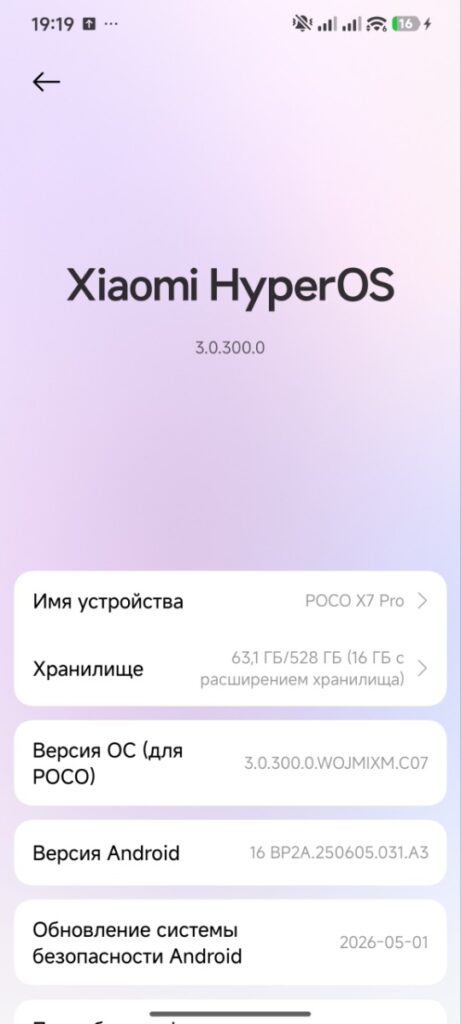
The version number for this update is 3.0.300.0.WOJEUXM.C07, with a file size of approximately 1.3 GB. It has recently been released for the European region and includes the latest security patch for May 2026, enhancing both device privacy and security. As mentioned, it has currently released for Partial Release or Mi Pilot Users—meaning it will first reach those who applied for the beta program.
HyperOS 3.1 Update Features
The most noticeable improvement after installing the update is in the device’s animations. The animation of the device feels smoother and more fluid than before, offering a much more pleasant experience. Reports indicate enhancements to the HyperOS interface. Additionally, Xiaomi’s stock icon style has been brought back – a feature many users had been eagerly awaiting.
Also battery and memory management have reportedly been further optimized, resulting in smoother performance during day-to-day tasks. Some minor bugs have also been fixed. While this may not be a major update, it certainly enhances the overall user experience.
Some Users Spotted Bugs
However, some users have reported issues after installing this beta version, with complaints surfacing on Reddit. Users have mentioned encountering problems like “Soft-bricking” after the update. Sometimes, when opening the app, a “Wait until your device is fully rebooted” message appears. The MTP connection is sometimes not working, and certain settings are automatically getting locked.
While such issues are quite common in beta versions, but this is a little bit irritating for users. There are two ways to try to resolve this: you can either downgrade the software or wait for the next stable update.
Should You Install or Wait for Stable?
Since this has only recently been released as a beta version, my advice to stable users is to wait for the stable release. Also, make sure to create a full backup of your device before installing such updates. Although the update has been released, it is currently reaching only a few users. It will gradually roll out to everyone over the next two weeks. If you are in a different region, do not worry – the update will soon be available for other countries as well.