
Nothing OS 5 (based on Android 17) kicks off with the Phone (3) Open Beta on August 26, with a stable rollout planned for mid-October before expanding to the 4a, 3a, and 2a series.
The major update introduces the new Geist font, a dedicated Glyph Interface app, separate Notification & Quick Settings panels, and new Lock Screen customization styles like Gooey and Micrographics.
Older generation phones including Nothing Phone (1), Phone (2), and CMF Phone 1 have reached their major OS lifecycle limit and will not receive Nothing OS 5.0, staying on security maintenance only.
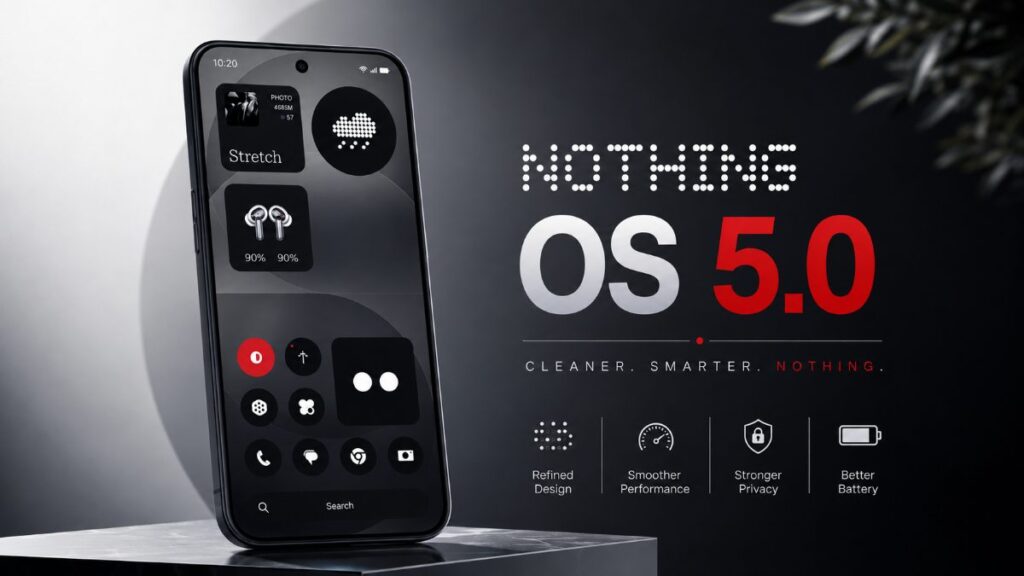
Nothing has officially released Nothing OS 5. This new update is based on Android 17 and is one of the biggest software updates from the company to date. It brings a new design, smoother performance, and several practical features. Today, we will discuss the update’s rollout timeline and key features in detail. So let’s check if your phone is also in this Nothing OS 5.0 eligible device list.
Nothing OS 5 Rollout Timeline for All Eligible Devices
Nothing has released a clear rollout plan. The Open Beta will start first and then the stable version will come in stages. The full timeline is given below:
| Device | Open Beta | General Release |
|---|---|---|
| Phone (3) | 26 August | Mid October |
| Phone (4a) Pro | Early September | Early November |
| Phone (4a) | Late September | Early November |
| Phone (3a) Pro | Late September | Early November |
| Phone (3a) | Late September | Early November |
| Phone (2a) | Mid October | Mid November |
| Phone (2a) Plus | Mid October | Mid November |
| Phone (3a) Lite | No Beta | Late December |
| Phone (4b) | Mid December | Mid January 2027 |
| CMF Phone 2 Pro | No Beta | Mid January 2027 |
These dates are indicative. There may be slight changes according to the region and carrier. Phone (1), Phone (2) and CMF Phone 1 will not get this update. This is because most of these phones have already fulfilled their software update policy. So it can be said that such a major OS update will not be seen among the phones.
Why Phone (3) Gets the Update First
Phone (3) is the current flagship of Nothing. Therefore, the company has started Open Beta on this device first. Users will be able to install the beta version and provide feedback starting August 26. The stable version is expected to arrive in mid-October. The update will then be rolled out to the 4a and 3a series in stages. This type of staged rollout helps ensure software stability.
Nothing OS 5 Features
Nothing OS 5.0 has a new visual look for the entire system. The new Geist font has been used, which is more comfortable to read. The status bar is now cleaner and subtle animations have been added to the icons. The settings menu has also been redesigned to make navigation easier. The colors of icons and widgets on the home screen automatically adapt to the wallpaper.
New Home Screen and Lock Screen Customisation
There have been major changes to the home screen and lock screen customisation. Multiple apps and widgets can be selected and moved at once. New clock faces have been added, including the Gooey and Micrographics styles. The clock color can be changed according to the color of the wallpaper on the lock screen. In addition, new widgets such as Collector, Away Time and Glyph Timer have also been added.
Dedicated Glyph App and New Widgets
The Glyph Interface is now available in a separate app. Glyph controls, sounds and schedules, which were previously scattered in different places in Settings, are now in one place. The Glyph Timer widget lets you start a timer directly from the home screen and display the time on the Glyph light on the back of the phone. This change makes the Glyph feature easier and more usable.
Split Notifications and Quick Settings
Notifications and Quick Settings can be separated in Nothing OS 5.0. When you enable Split mode, swiping from the left will open notifications and swiping from the right will bring up Quick Settings. This will be convenient for many users who prefer separate panels. The old comb INED layout is also kept as an option.
Performance and Animation Improvements
System performance has been significantly improved. App launch speed has increased, scrolling has become smoother, and touch response has improved. Animations are now more natural. If you change gestures mid-way, the animation responds accordingly. Background app management has also been improved so that frequently used apps open faster.
Camera App and Essential AI Updates
The camera app UI has been updated. QR scanning has been made easier and some new controls have been added. Android 17’s Noto 3D emoji support has arrived. MCP support has been added to Essential Space and Essential Apps can be created directly on the phone via the Essential Apps Builder app. Essential Voice has also been speeded up.
Screen Recording and Other System Improvements
The screen recording experience has been improved. The controls before and during recording are clearer. The Quick Share feature has also been updated. Files can now be shared with other devices, including iPhone, via QR codes. The ability to show live updates in the status bar has also been added.
Who Will Not Get Nothing OS 5.0
Phone (1), Phone (2) and CMF Phone 1 will not get this update. These devices have already received their promised major OS update and will now only receive security patches. It is better to look to the new series for new features and design updates.
Final Thoughts on Nothing OS 5.0
Nothing OS 5.0 is not just an Android 17 update, but also an attempt to improve Nothing’s own design. Smoother performance, better customization options, and practical changes like the Glyph app will improve users’ daily experience. Phone (3) users can try the Open Beta now. The update will come to other devices in stages. However, before updating to such a beta, be sure to take a backup of your device.